
What Is Gemini Omni? Google’s New Multimodal Creation Model Explained
TL;DR
Gemini Omni is Google’s new multimodal creation model family, designed to create and edit media from different types of input, starting with video.
The first model in the family is Gemini Omni Flash. It can take combinations of text, images, video, and audio as input, then generate or edit video through natural language. Instead of treating AI creation as a one-shot prompt, Gemini Omni pushes the workflow toward something more conversational: you describe an idea, review the result, ask for changes, and continue shaping the output like a creative director.
For creators, marketers, filmmakers, educators, and AI product builders, Gemini Omni matters because it represents a major shift in generative AI: from isolated tools that produce single outputs to multimodal creative systems that understand context, references, and revisions.
If you want to explore this workflow directly, you can try GemOmni as a simple way to experience Gemini Omni-powered creation.
What Is Gemini Omni?
Gemini Omni is a new family of generative AI models from Google DeepMind. It is built around one simple but ambitious idea: create anything from any input.
That sounds broad, but the practical meaning is clear.
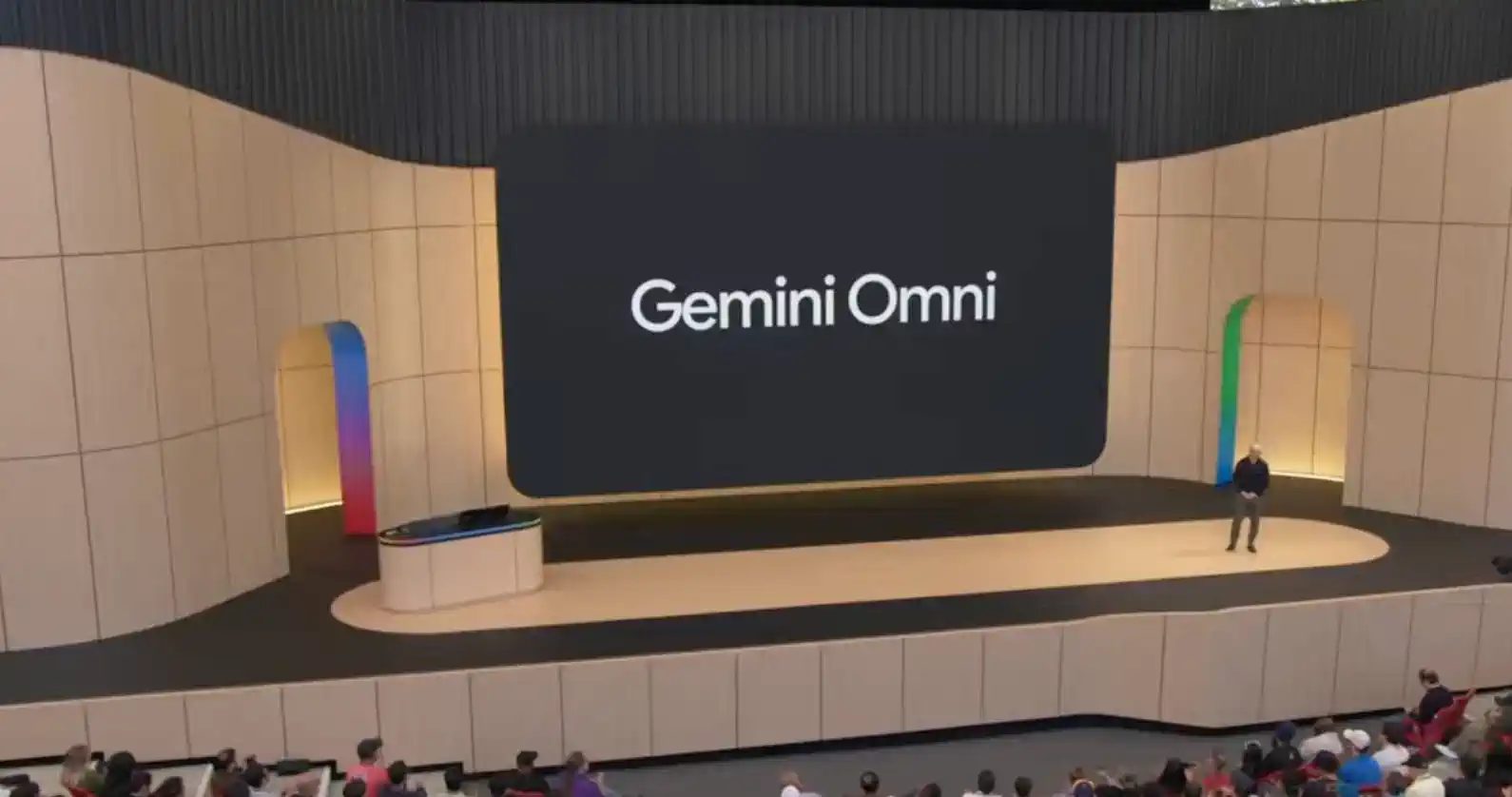
Gemini Omni is designed to understand multiple types of input — text, images, video, and audio — and use them together to generate or edit media. The first release focuses on video. Over time, Google has signaled that the Omni family will expand toward more output types, including image and audio.
In simple terms, Gemini Omni is not just another text-to-video model.
It is Google’s attempt to build a more flexible creative model that can understand what you give it, reason about the scene, and help you create media through natural conversation.
That distinction matters.
Most AI video tools still feel like prompt machines. You enter a prompt, wait for a result, and hope the model understands what you meant. If the result is wrong, you often need to rewrite the prompt and generate again. Gemini Omni is trying to move beyond that pattern. It is designed for iterative creation, where each instruction can build on what came before.
That makes Gemini Omni feel less like a vending machine for AI videos and more like a creative collaborator.
Why Gemini Omni Matters
The AI industry has been moving through clear stages.
First, AI became useful for text.
Then it became powerful for images.
Then video generation started improving quickly.
Now the next major challenge is not simply generating prettier videos. The real challenge is control.
Creators do not only want a beautiful five-second clip. They want the same character to remain consistent. They want the scene to follow a clear direction. They want the camera to move logically. They want objects to stay where they belong. They want the model to remember what has already happened.
This is where Gemini Omni becomes important.
Google positions Gemini Omni as a model where Gemini’s reasoning ability meets generative media creation. That means the model is not only generating pixels. It is expected to understand the physical, visual, and narrative logic behind a scene.
For example, if you ask for a cinematic shot of a runner moving through a rainy city street, a basic model may produce something visually impressive. But a stronger creative model needs to understand the subject, the environment, the lighting, the motion, the mood, and the continuity of the shot.
Gemini Omni is aimed at that next layer of creation.
It is not just about “make me a video.”
It is about “help me shape this idea into the video I actually want.”
For users who want to test this kind of creative direction workflow, Gemini Omni Video Generator provides a direct entry point for turning prompts and ideas into AI video.
Gemini Omni Flash: The First Model in the Family
The first model in the Gemini Omni family is Gemini Omni Flash.
The name is important. In Google’s model ecosystem, “Flash” usually points to speed, responsiveness, and more practical everyday use. Gemini Omni Flash appears to be the first version designed for real user workflows rather than only a research preview.
Google is rolling Gemini Omni Flash into several products, including the Gemini app, Google Flow, and YouTube Shorts. This matters because Gemini Omni is not being introduced as an isolated model. It is being placed directly inside the tools where people already create, edit, and publish content.
That product-level integration could become one of Gemini Omni’s biggest advantages.
A powerful model is useful. But a powerful model inside a complete creative workflow is much more valuable.
For everyday users, this means they may be able to generate video from text, animate ideas from image references, edit scenes with natural language, and eventually publish or remix content without jumping between multiple tools.
For professional creators, Gemini Omni Flash may become useful for ideation, storyboarding, short-form video concepts, social campaigns, and early-stage visual development.
Is Gemini Omni an All-in-One AI Model?
Gemini Omni is often described as “create anything from any input,” so it is easy to call it an all-in-one AI model.
But a more accurate description is this:
Gemini Omni is a multimodal generative media model family, starting with video, designed to create and edit media from text, image, video, and audio inputs.
That is more precise than simply saying “all-in-one.”
Gemini Omni does not mean every possible creative task is already complete on day one. The first focus is video. The broader direction is any-to-any creation, where different input types can be transformed into different output types.
So yes, Gemini Omni is “omni” in vision.
But practically, it starts as a powerful multimodal video creation and editing model.
This distinction is important for readers because AI product names can easily become confusing. Gemini is Google’s broader AI model and assistant ecosystem. Gemini Omni is a specific creative model family within that ecosystem. Gemini Omni Flash is the first model in that Omni family.
For creators who want a focused product experience rather than reading only about the model, GemOmni is built around making Gemini Omni easier to access and use.
How Gemini Omni Works
The core workflow of Gemini Omni is conversational creation.
Instead of needing one perfect prompt, users can guide the model step by step.
You might start with a simple idea:
“Create a cinematic video of a young designer walking through a futuristic studio.”
Then you can refine it:
“Make the lighting softer.”
“Keep the same person, but make the camera move closer.”
“Change the background to a warm minimalist workspace.”
“Make the video feel more like a premium product launch.”
“Add a more natural hand movement.”
This kind of workflow is closer to how human creative teams work.
A director rarely gets the final shot from one sentence. A designer rarely produces the final visual from one instruction. Real creative work is iterative. You create, evaluate, revise, and improve.
Gemini Omni brings that pattern into AI media generation.
This is especially valuable because prompting has always been one of the biggest barriers for normal users. Many people have a clear visual idea in their head but struggle to express it in the exact language a model needs. Conversational editing lowers that barrier. You do not need to get everything right in one prompt. You can keep adjusting the output.
What Can Gemini Omni Create?
At launch, Gemini Omni’s most important use case is video creation and video editing.
The model can use different inputs to generate video. These inputs may include text prompts, image references, existing videos, and audio. This gives users more ways to guide the output.
For example, a user could provide:
- A product image and ask Gemini Omni to create a short commercial.
- A portrait photo and ask for a cinematic character scene.
- A rough video and ask the model to restyle or transform it.
- A text description and ask for a complete AI-generated scene.
- A music track and ask for a matching visual direction.
This is more flexible than traditional text-to-video generation.
Text prompts are powerful, but they are not always enough. Sometimes a reference image communicates a style better than words. Sometimes a rough video communicates movement better than text. Sometimes audio defines pacing and emotion better than a written description.
Gemini Omni’s multimodal input approach makes it easier to combine these signals.
That is why it matters for creative workflows.
To move from reading about the model to actually creating with it, you can use the Gemini Omni Video Generator to test text-to-video and creative video generation workflows.
Gemini Omni and Google Flow
One of the most interesting parts of Gemini Omni is its connection to Google Flow.
Flow is Google’s AI filmmaking and creative production tool. By integrating Gemini Omni into Flow, Google is giving creators a more structured environment for building AI-generated videos.
This matters because video creation is not only about generating clips.
A real video project involves direction, pacing, shot design, visual consistency, music, editing, and story logic. A standalone model can help with one part of that process. A creative platform can connect those pieces together.
Gemini Omni inside Flow could be especially useful for:
- Storyboarding scenes
- Creating music video concepts
- Developing short-form social videos
- Testing visual styles
- Building product campaign concepts
- Turning rough ideas into polished visual drafts
This is where Google’s ecosystem advantage becomes clear.
If Gemini Omni works across Gemini, Flow, and YouTube Shorts, it can support the full creative path: idea, generation, editing, and distribution.
That is much more powerful than a model that only generates a file and leaves everything else to the user.
Gemini Omni and YouTube Shorts
Gemini Omni is also connected to YouTube Shorts, which may become one of its most important distribution channels.
Short-form video is one of the biggest use cases for generative video. Creators need fast concepts, eye-catching visuals, remixable formats, and quick iteration. Gemini Omni’s conversational editing could make it easier for creators to generate short clips, revise them, and adapt them for social platforms.
This does not mean every YouTube Short will suddenly become AI-generated. But it does mean AI tools are moving closer to the publishing layer.
That is a big deal.
When creation tools are directly connected to distribution platforms, the speed of content production increases. More creators can test ideas. More formats can be remixed. More users can turn simple concepts into visual content.
For YouTube, Gemini Omni is not just a model. It is part of a larger platform strategy.
Who Is Gemini Omni For?
Gemini Omni is useful for several different groups.
1. Content Creators
Short-form creators can use Gemini Omni to create visual concepts, social videos, remix content, and experiment with new formats.
The biggest benefit is speed. Instead of spending hours searching for footage or building scenes manually, creators can quickly test different ideas and styles.
For creators who need a simpler starting point, GemOmni can help turn Gemini Omni from a model name into a practical creation tool.
2. Marketers and Brand Teams
Marketing teams can use Gemini Omni for product visuals, ad concepts, campaign drafts, and social media content.
For example, a brand could upload a product image and ask Gemini Omni to create different lifestyle scenes around it. A team could then revise the mood, lighting, audience, and environment through conversation.
That makes Gemini Omni useful not only for final output but also for creative exploration.
3. Filmmakers and Video Producers
Filmmakers may use Gemini Omni for early ideation, previsualization, mood boards, and shot planning.
It may not replace professional production pipelines immediately. But it can make the early creative stage much faster.
Instead of describing a scene only with text, a director can generate a rough visual draft and use that to communicate the idea.
4. Educators and Explainer Creators
Educators can use Gemini Omni to turn abstract concepts into visual explanations.
A science teacher could create a visual demonstration. A history creator could build a scene from a historical period. A business educator could turn a complex idea into a short visual explainer.
Because Gemini Omni is connected to Gemini’s reasoning and world knowledge, it may become especially useful for educational content where accuracy and context matter.
5. AI Product Builders
For AI product builders, Gemini Omni is a signal of where generative media tools are going.
The future is not just text-to-image or text-to-video. The future is multimodal input, conversational editing, memory, continuity, and product-level workflows.
If you are building an AI creative product, Gemini Omni shows the direction users will start to expect.
Gemini Omni vs Traditional AI Video Generators
Traditional AI video generators usually work like this:
You write a prompt.
The model generates a video.
You either accept the result or try again.
Gemini Omni points toward a different workflow:
You provide one or more inputs.
The model generates an initial result.
You continue editing through conversation.
The model keeps the context and helps you refine the output.
That difference is important.
The first workflow is output-based.
The second workflow is process-based.
In real creative work, the process matters. The ability to revise, adjust, and preserve intent is often more valuable than the first result.
This is why Gemini Omni may become more useful than many one-shot video tools. It is not only trying to make generation better. It is trying to make the creative loop better.
What Makes Gemini Omni Different?
Gemini Omni has four major differences compared with many existing AI creation tools.
1. Multimodal Input
Gemini Omni can work with different types of input. This allows users to guide the model with more than words.
That is important because creative intent is often visual, emotional, and contextual. A reference image, video clip, or audio track can communicate things that a text prompt cannot.
2. Conversational Editing
Gemini Omni is designed for natural language editing.
This means users can say what they want changed instead of learning complex software controls. For beginners, this makes AI creation easier. For professionals, it can speed up early experimentation.
3. Better World Understanding
Google describes Gemini Omni as combining Gemini’s reasoning with creative generation.
This matters because video is not only about visual style. It also involves space, motion, physics, culture, and cause-and-effect. Stronger world understanding can help a model produce scenes that feel more coherent.
4. Ecosystem Integration
Gemini Omni is connected to Google products like Gemini, Flow, and YouTube Shorts.
That gives it a practical advantage. Users do not only need model quality. They need access, workflow, editing, and publishing.
Google can potentially provide all of that in one ecosystem.
Limitations and Open Questions
Gemini Omni is promising, but it is still important to be realistic.
First, AI video consistency is difficult. Even advanced models can struggle with hands, faces, object permanence, long sequences, and precise camera control.
Second, professional creators may still need more detailed tools. Conversational editing is useful, but video professionals often need timeline editing, masks, layers, frame-level control, export settings, and production-grade consistency.
Third, access and pricing will matter. If the best Gemini Omni features are limited to higher-tier subscriptions or have strict usage limits, that will affect adoption.
Fourth, copyright and synthetic media policies will remain important. As AI-generated video becomes easier to create, platforms will need clear standards for disclosure, consent, likeness use, and content authenticity.
Finally, the real test is not the launch demo. The real test is daily creative use. Can Gemini Omni help users produce better work consistently? Can it handle revisions reliably? Can it preserve character identity and scene logic across multiple edits? These are the questions creators will care about most.
How to Prompt Gemini Omni
Prompting Gemini Omni is different from prompting a simple image model.
Because it is designed for multimodal creation and conversational editing, the best approach is to give clear creative direction rather than trying to overload the prompt with random details.
A strong Gemini Omni prompt usually includes:
- Subject: Who or what is in the scene?
- Action: What is happening?
- Setting: Where does the scene take place?
- Mood: How should the video feel?
- Camera: How should the shot move or be framed?
- Lighting: What kind of light should shape the scene?
- Style: Should it feel cinematic, realistic, editorial, commercial, documentary, or surreal?
- Constraints: What should stay unchanged?
For example:
“Create a cinematic product video of a sleek wireless headphone floating above a dark glass table. The camera slowly pushes in. The lighting is soft and premium, with subtle reflections on the surface. Keep the product shape unchanged. Make the mood feel futuristic, minimal, and high-end.”
Then you can revise:
“Make the background warmer.”
“Add a soft blue rim light.”
“Slow down the camera movement.”
“Keep the product centered.”
“Make it feel more like a luxury tech commercial.”
This is the real power of Gemini Omni. You do not need to solve everything in the first prompt. You can direct the model step by step.
When you are ready to turn a prompt into an actual video, you can try Gemini Omni video generation and use the same step-by-step prompting approach.
Gemini Omni and the Future of AI Creation
Gemini Omni points toward a future where AI creation becomes more fluid, interactive, and multimodal.
Today, many AI tools still feel fragmented. You use one tool for writing, another for images, another for video, another for audio, and another for editing. Gemini Omni suggests a different direction: a single creative system that can understand many types of input and help produce many types of output.
This does not mean traditional creative tools disappear.
Instead, the creative stack may change.
AI models like Gemini Omni may become the first layer of ideation and generation. Professional tools may remain important for final editing, compositing, color, sound, and production. The creator’s role may shift from manually building every asset to directing, curating, revising, and assembling ideas faster.
That shift is already happening.
Gemini Omni makes it clearer.
The Bottom Line
Gemini Omni is Google’s new multimodal creation model family, starting with video through Gemini Omni Flash.
Its main promise is simple: create and edit media from different kinds of input using natural conversation.
That makes it different from traditional AI video generators. Gemini Omni is not only about generating one video from one prompt. It is about helping users shape creative output through an iterative workflow.
For creators, Gemini Omni can speed up video ideation and editing. For marketers, it can help produce campaign concepts and product visuals. For educators, it can turn ideas into visual explanations. For AI product builders, it signals the future direction of generative media: multimodal inputs, conversational control, and integrated creative workflows.
The most important thing to understand is this:
Gemini Omni is not just another AI video model.
It is Google’s step toward AI as a creative director, editor, and multimodal production assistant.
If Gemini became Google’s general AI assistant, Gemini Omni may become Google’s creative engine for the next generation of AI media.
To start experimenting with this new creative workflow, visit GemOmni or go directly to the Gemini Omni Video Generator.